 LensPlate
Why we took AI out of our calorie counter
LensPlate used to guess your calories from a photo. In version 2 we removed that and kept only ways of logging you can check. Here's why, and what we use instead.
, 5 min read
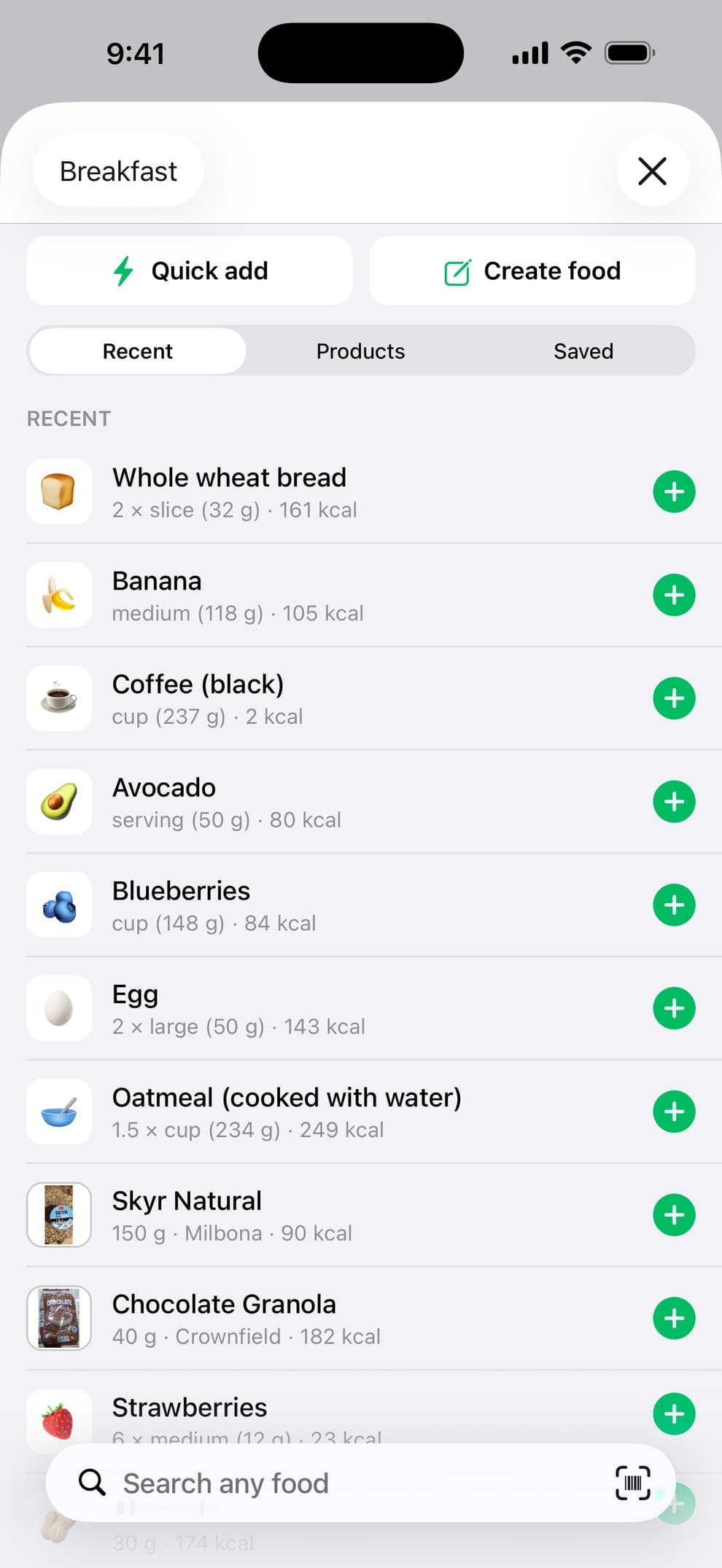
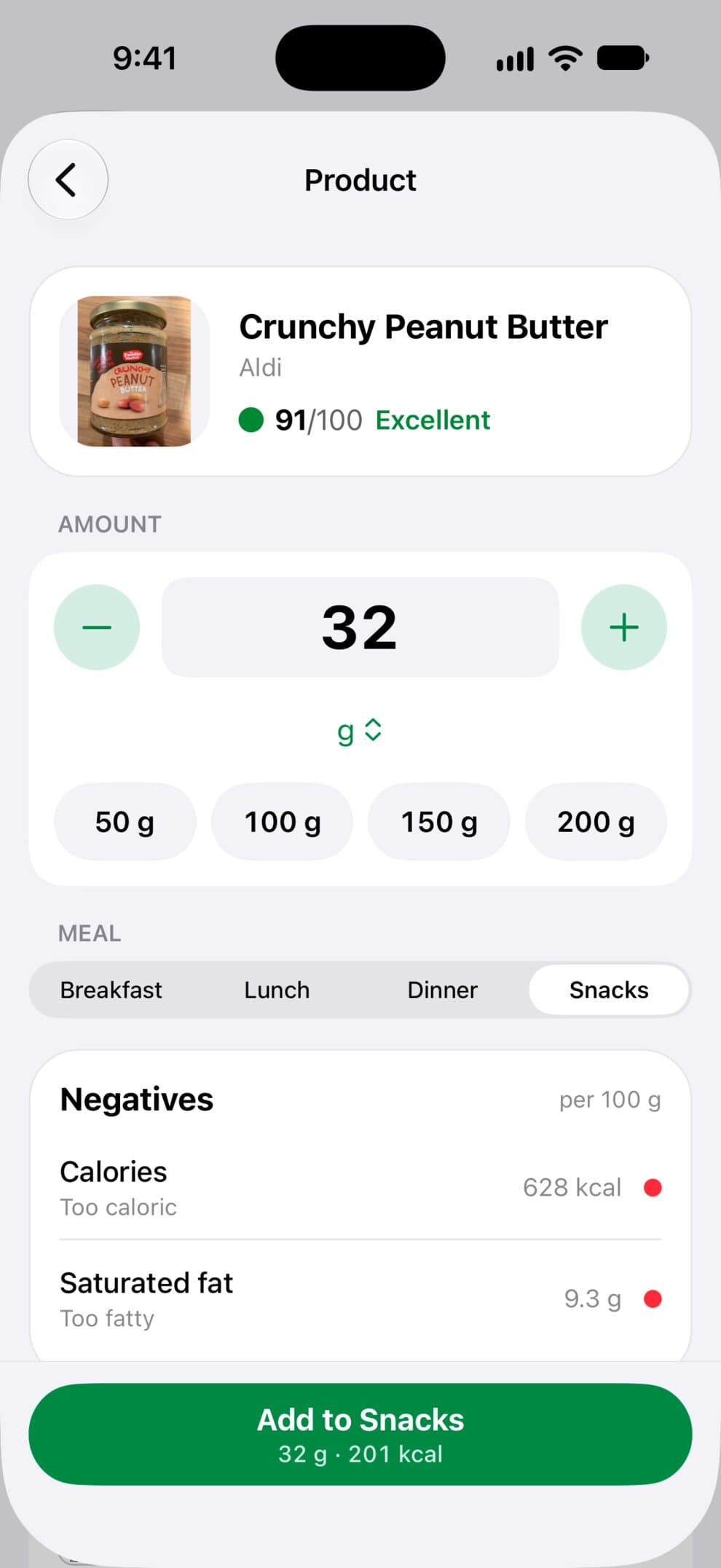
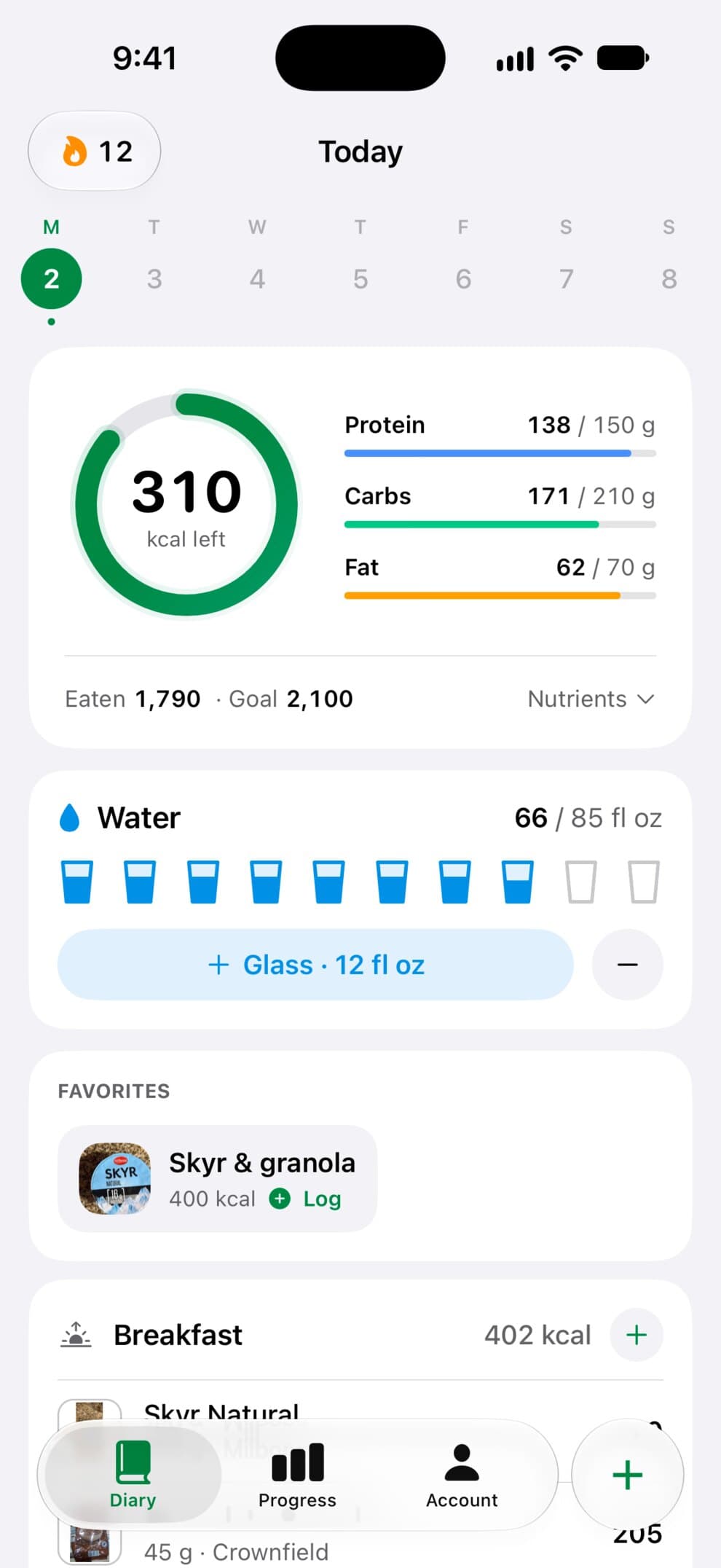
The first version of LensPlate had a camera button. You took a photo of your plate and the app estimated its calories. It looked like magic, and it's what most new calorie apps lead with.
In LensPlate 2 we removed it. Today there's no photo scan, and no AI guessing anywhere in the app. This post explains why, and what you get instead.
A photo can't see what's in the food
A photo shows the top of a plate. It doesn't show the oil in the pan, the butter in the rice, the sauce under the chicken or how deep the bowl is. Those are often where the calories are.
A study from the US National Institutes of Health measured this. Researchers took standardized photos of 102 meals made in a metabolic kitchen, where every ingredient is weighed to the nearest 0.1 gram. They ran the photos through four apps with photo logging: MyFitnessPal, Lose It!, Cal AI and Appediet. All four apps underestimated the meals by about 250 to 345 calories on average, and fat by about 30 grams.
All four apps underestimated the calorie content of meals by about 250 to 345 calories, on average, and fat by about 30 grams.
American Society for Nutrition, NUTRITION 2026
The study was presented as a conference abstract in July 2026 and hasn't been peer reviewed yet, so treat the exact numbers as early. But the direction makes sense: the fat you can't see is the fat a camera misses.
Missing 300 calories once doesn't matter. The trouble is that the error isn't random. If every dinner is logged low, your diary says you're eating less than you are. Then you're told you're in a deficit when you're not, and the scale doesn't agree.
A guess that looks exact is worse than a rough number you chose
A photo estimate shows up in your diary as "642 kcal". It looks as precise as a number from a food label, but it isn't one, and nothing in the diary tells you which is which.
When you log "2 cups of cooked pasta" yourself, you know how sure you are. You can weigh it next time, or pick a smaller portion if you served yourself a lot. With a photo you can't tell where the estimate went wrong, so you can't fix it.
This matters more in LensPlate than in most apps. After two weeks of logging, LensPlate compares what you ate with your weight trend and suggests a calorie target based on what you really burn. That estimate is only as good as your logs. Food that's logged low every day would make the app think you burn less than you do, and suggest a target that's too low.
It cost money on every scan
Each photo was sent to a server for analysis, and every scan cost us money. That's why photo scans had a daily limit, and unlimited scans were part of a paid plan.
It was also hard to make accurate. We worked on it, and we still couldn't get photo estimates we'd trust in your diary.
Without the scan, nothing in LensPlate costs us per use. That's a big part of why every feature in the app is now free, with no ads and no subscription. It also means we no longer handle photos of your meals: LensPlate 2 doesn't ask for access to your photo library, and the camera is used only to scan barcodes.
What we use instead
The goal is the same as the photo scan's: logging should take seconds. We got there with numbers you can check.
- Recent foods, one tap each. Most people eat the same few breakfasts and lunches. Add Food opens on what you logged recently, with the portion you used last time.
- Same as yesterday. Logs the last meal you had in that slot again, every food in it, in one tap.
- Fits your day. Up to three recent or everyday foods that fit the calories and protein you have left today.
- Barcode scanner. Scan a packaged food and log it with the numbers from its label, through Open Food Facts. You also see a score for the product and healthier alternatives.
- About 1,150 everyday foods and dishes, from the USDA food database and France's ANSES CIQUAL table, with real portions: a medium apple is 182 g, a tablespoon of olive oil is 13.5 g.
- Saved meals and recipes. Enter a dish you cook often once, with its ingredients. Then log a serving in one tap.
- Quick add. When you only know the calories, type them in.
Every entry keeps its nutrients per 100 g, so you can change the amount later and the totals update.
What we gave up
Photo logging is faster the first time you eat a mixed plate. Snap, done. With LensPlate you add the parts of that plate, or save it as a recipe if you'll eat it again. We think that's the right trade, but it is a trade.
If you eat something new every day, mostly at restaurants, and want a rough number with no effort, a photo app may suit you better. If you want a diary you can trust, and targets built on it, logging what you actually ate works better.
Try it
LensPlate is a free calorie and macro tracker for iPhone. Every feature is free: there are no ads, no subscription and no AI guesses. Open Add Food, log one meal, and see how long it takes.
Sources
- American Society for Nutrition, "Photo-based calorie-tracking apps may underestimate energy in meals", press release for an abstract by Hengist, Charles and colleagues (NIDDK, National Institutes of Health), NUTRITION 2026, 25 July 2026. Preliminary, not yet peer reviewed.
- U.S. Department of Agriculture, FoodData Central (SR Legacy): food nutrients and portions.
- ANSES, Ciqual French food composition table (2025).
- Open Food Facts: packaged food data, licensed under the Open Database License.